Recovery in Multi-Signature Setups: A Practical Guide to Saving Your Crypto
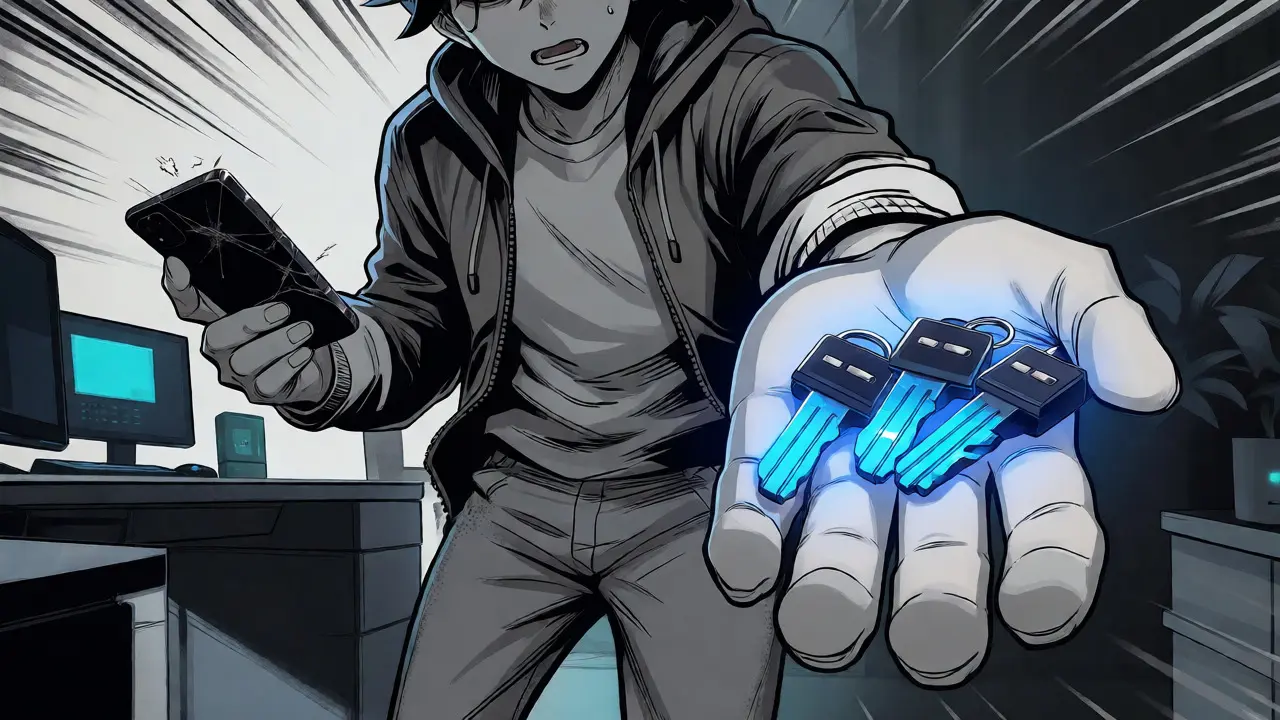
Imagine waking up to find your primary hardware wallet dead, or worse, realizing you’ve misplaced the seed phrase for one of your three signing devices. In a standard single-signature wallet, this is often game over. But if you’re using a multi-signature (multisig) setup, you have a safety net-provided you know how to use it. Multisig isn’t just about locking funds away; it’s about ensuring that when things go wrong, they don’t stay wrong. The core promise of multisig is resilience against single points of failure, but that promise only holds water if you understand the recovery mechanics behind the M-of-N configuration.
The Core Mechanics of Multisig Recovery
At its heart, a multisig wallet requires multiple signatures to authorize a transaction. If you are running a 2-of-3 setup, you need any two out of three possible keys to move your funds. This distribution means that losing one key doesn’t lock you out; it simply reduces your redundancy. Recovery, therefore, is the process of reconstructing access using the remaining valid keys and the wallet’s metadata. Unlike single-sig wallets where a single seed phrase is everything, multisig recovery relies on a combination of private keys and an output descriptor. This descriptor is the blueprint of your wallet-it tells the software exactly which public keys belong to the quorum and what script type (like P2WSH or P2TR) is being used.
You might wonder why you can’t just plug in two hardware wallets and hit send. You can, provided the software understands the relationship between those keys. This is where many users stumble. They assume their wallet provider’s app will handle everything forever. But what if that company shuts down? Or changes its interface? Robust recovery means owning the ability to rebuild your wallet on independent software like Sparrow Wallet or Bitcoin Core. To do this, you need more than just seeds; you need the exact derivation paths and the specific order of keys, which standards like BIP48 and BIP129 help standardize.
Preparing for Disaster: What You Need Before You Need It
Most recovery failures happen not because the technology failed, but because the user didn’t document the setup correctly at creation time. If you haven’t exported your configuration, you are essentially flying blind. For providers like Nunchuk or Casa, there are specific files-such as BSMS (Backpack Standard for Multisig Signatures) exports-that contain all the necessary metadata. Without these, reconstructing a wallet from raw seeds is a tedious manual task prone to human error.
Here is a quick checklist of what you must secure before attempting any recovery:
- M Private Keys: Ensure you have physical backups (preferably metal plates) for at least M keys in your M-of-N scheme.
- Output Descriptor: Save this string of text. It contains the script type, key origins, and derivation paths. Store it alongside your seeds.
- Wallet Configuration File: If your provider supports it, export the JSON or BSMS file regularly. Treat it with the same care as your seeds.
- Software Compatibility: Know which desktop clients support your specific setup. Sparrow Wallet is widely regarded as the gold standard for independent verification because it adheres strictly to open standards.
A common pitfall is assuming that all multisig implementations talk to each other. They don’t always. A wallet created in Casa might not import seamlessly into a generic Bitcoin Core node without the correct descriptor. This is why testing your recovery process while your funds are still accessible is non-negotiable. Do a dry run: try to view your balance or sign a tiny test transaction using a different device than usual. If it works, you’re ready. If it errors out, fix it now, not during a crisis.

Step-by-Step Recovery Process Using Independent Software
Let’s walk through a realistic scenario. Your phone breaks, and it held one of your three keys. You have the other two hardware wallets and your paper/metal backups. You decide to recover using Sparrow Wallet on your laptop. First, install the latest version of Sparrow. When setting up a new wallet, choose "Import Existing Wallet" rather than creating a new one. You’ll be prompted to enter an output descriptor. Paste the descriptor you saved earlier. If you don’t have the descriptor, you’ll need to manually input the public keys and their derivation paths, which is riskier and slower.
Once the wallet structure is loaded, Sparrow will scan the blockchain to find your UTXOs (Unspent Transaction Outputs). This step verifies that the wallet actually controls the funds you think it does. Next, connect your available hardware signers. When you attempt to send a transaction, Sparrow will ask for signatures from the required number of participants (e.g., 2 out of 3). You’ll sign on Device A, then Device B. Once both signatures are collected, the transaction is broadcast. If you had lost two keys in a 2-of-3 setup, you’d be stuck-you’d need at least two valid keys to proceed. This highlights the critical importance of keeping redundant backups in geographically separate locations.
Comparing Provider-Specific Recovery Methods
Not all multisig providers offer the same level of sovereignty. Some lock you into their ecosystem, making recovery dependent on their servers. Others, like Theya and BitPay, offer varying degrees of self-custody flexibility. Understanding these differences helps you choose a provider that aligns with your technical comfort level and risk tolerance.
| Provider | Recovery Requirement | Independence Level | Estimated Time | Key Challenge |
|---|---|---|---|---|
| Nunchuk | BSMS File + 2 Seeds | High (if BSMS exported) | 15-30 mins | Forgetting to export BSMS config |
| Casa | 2 Devices + Keymaster | Medium (Relies on Keymaster) | 20-40 mins | Understanding Keymaster logic |
| Theya | 2 Seeds + Output Descriptor | Very High (Sovereign) | 20 mins | Learning curve for descriptors |
| BitPay | Individual Copayer Phrases | Low (Support-dependent) | Variable | Coordination between copayers |
| Ownbit | Manual UTXO Construction | High (Technical) | 30-45 mins | Requires deep technical knowledge |
Notice the pattern? The more "user-friendly" the initial setup feels, the more hidden dependencies often exist in the recovery phase. Nunchuk simplified things significantly with automatic reminders, but if you ignored them, you’re left scrambling. Casa offers robust protection but introduces proprietary layers that require understanding their specific "Keymaster" system. Theya pushes hard for true sovereignty, meaning once you learn the ropes, you never need their app again. BitPay, being older and more enterprise-focused, often relies on coordinated efforts among copayers, which can slow down individual recovery.

Troubleshooting Common Recovery Failures
Even with perfect preparation, glitches happen. One frequent issue reported on community forums involves descriptor mismatches. If your wallet was created with a specific BIP standard (like BIP67 for ordered keys) but you try to import it into software expecting a different ordering, the addresses won’t match. You’ll see zero balance, leading to panic. Always double-check the script type (P2SH vs. P2WSH) and the key ordering. Another common trap is outdated firmware on hardware wallets. An old Trezor or Ledger might not recognize newer multisig scripts. Update your firmware before starting a recovery process.
What if you lose the output descriptor entirely? Don’t despair. You can often reconstruct it if you know the derivation paths and have access to the public keys. Tools like Specter Desktop allow you to import public keys and rebuild the descriptor manually. However, this requires knowing exactly which path was used (e.g., m/48'/0'/0'/2'). If you used a custom path and didn’t write it down, you might need to brute-force common paths or consult expert services. Remember, in a 2-of-3 setup, losing the descriptor doesn’t mean losing the funds if you have the seeds, but it does mean significant extra work.
Best Practices for Long-Term Security
Recovery isn’t a one-time event; it’s a maintenance habit. Schedule annual checks to ensure your backups are readable and your software is compatible. Test your recovery process every year or after major software updates. Use metal backups instead of paper-they survive fire, water, and time better. Keep your output descriptor in a separate location from your seeds, perhaps encrypted on a USB drive stored in a safe deposit box. And finally, educate anyone who might need to help you recover. If your spouse or partner doesn’t understand what an output descriptor is, your multisig setup could become a tombstone rather than a treasure chest.
Can I recover my funds if I lose all but one private key in a 2-of-3 multisig setup?
No. In a 2-of-3 setup, you strictly require two valid private keys to sign a transaction. Losing two keys leaves you with only one, which is insufficient to meet the threshold. You would be permanently locked out unless you have a pre-signed transaction or a special fallback mechanism configured beforehand.
Do I need the output descriptor to recover a multisig wallet?
While technically you can reconstruct a wallet from public keys and derivation paths, having the output descriptor makes recovery significantly faster and less error-prone. Most modern wallet software, such as Sparrow Wallet, requires the descriptor to correctly identify the wallet structure and associated addresses.
Is multisig recovery harder than single-sig recovery?
Yes, initially. Single-sig recovery usually involves entering a seed phrase into any compatible wallet. Multisig requires managing multiple keys, ensuring correct ordering, and often dealing with specific file formats like BSMS. However, once set up correctly, it offers superior security against theft and loss.
What happens if my multisig service provider goes bankrupt?
If you have properly exported your output descriptor and hold the required private keys, you can recover your funds using independent software like Sparrow Wallet or Electrum. Providers that emphasize "sovereign recovery," such as Theya or Nunchuk, design their systems specifically so that bankruptcy does not result in fund loss for prepared users.
How long does a typical multisig recovery take?
For experienced users with all documentation ready, recovery can take 15-30 minutes. For beginners or those missing parts of their configuration, it can take several hours or even days to troubleshoot descriptor issues and verify balances across different nodes.